Installation and connection
Select the cradle, charging and app setup for handheld and mounted use.
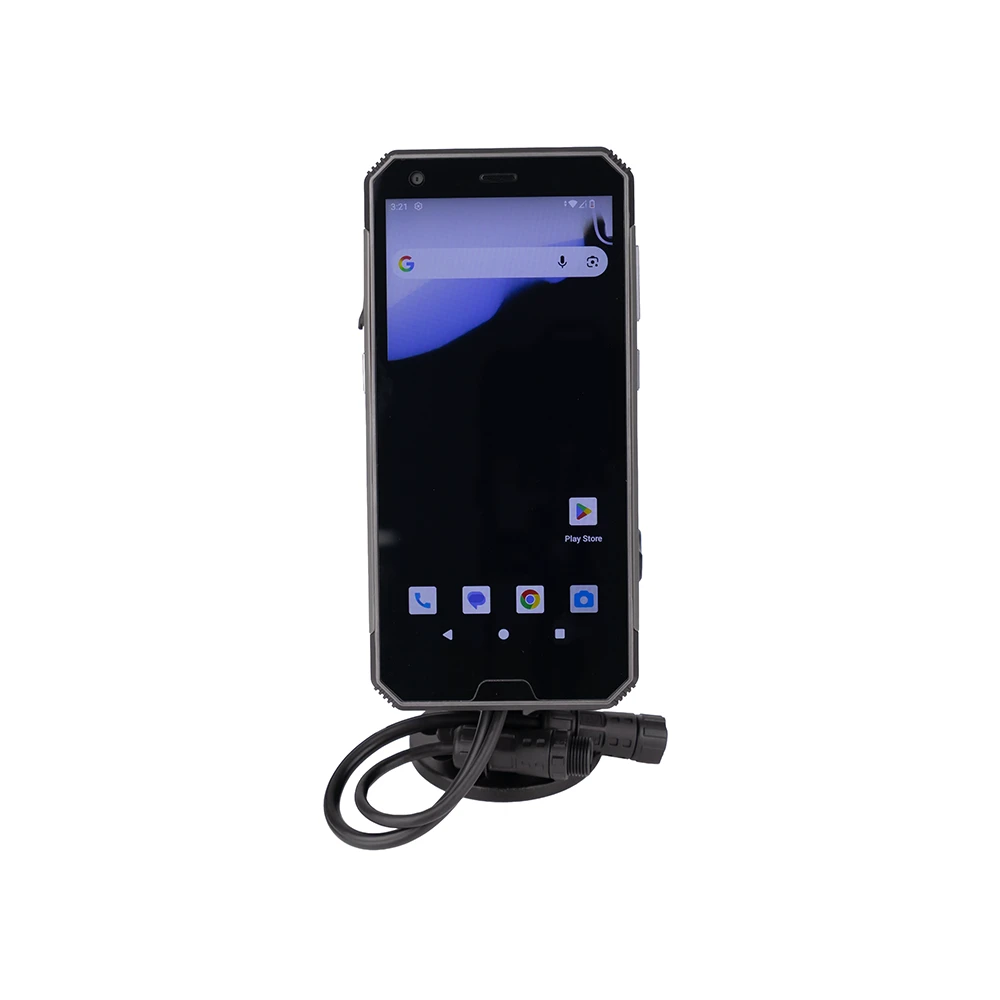
Product views
JAXICLOUD FLEET MANAGEMENT
Compact handheld for goods registration, field service and work outside the vehicle. An integrated 1D/2D scanner combines data capture with Android apps, 5G and positioning.
Discuss software, integration and configurationCompact handheld for goods registration, field service and work outside the vehicle. An integrated 1D/2D scanner combines data capture with Android apps, 5G and positioning.
Select the cradle, charging and app setup for handheld and mounted use.
Android applications and supported device or vehicle data, according to the selected integration.
At collection, a worker can scan a code and record the task in a compatible Android app, linking goods identification to the digital workflow.
This is an example of use. App functions, reports and alerts depend on the agreed software and integration.
The ordered variant, optional features, software and compatible equipment are confirmed in the quote.
| CPU | MTK platform 2.0GHz Octa-Core Processor |
|---|---|
| GPS | High sensitivity receiver (GPS, GLONASS, GALILEO), Dual-band L1+L5 |
| Display | 5.7 inch, IPS panel (720 x 1440 pixel), LED Backlight |
| Touch Panel | Capacitive multi-touch panel (Supports Glove, Wet & Stylus modes) |
| Bluetooth | V5.0 |
| WLAN | Wi-Fi IEEE 802.11 a/b/g/n/ac (Dual-Band 2.4GHz/5GHz), 802.11 d/e/h/i/j/k/r/v/w, 5GHz up to 500 Mbps, 2.4GHz up to 144Mbps |
| Camera (back camera) | 40MP autofocus camera with flashlight |
| Camera (front camera) | 8MP Fixed Focus camera |
| Scanner module | Yes, Built-in (1D & 2D Imagers) |
| RFID | Yes, optional (Supports back access NFC reader) |
| G-sensor | 3-axis Accelerometer, default |
| Light sensor | Ambient Light Sensor, default |
| Motion Sensor | E-Compass (Magnetometer), 3-axis Gyroscope, Proximity Sensor, default |
| Optional Features | FM broadcasting, Fingerprint |
| Antenna | Internal antenna |
| LED indicator | Two-color LED (Audible tone & Charging Status LED) |
| Operating Temp | -10℃ to 60℃ (14°F to 140°F) |
| Storage Temp | -20℃ to 70℃ (-4°F to 158°F) |
| Humidity | 90% non-condensing |
| Sealing | IP67 certified |
| Drop Spec | 1.2m (4 ft.) drops per MIL-STD-810H |
| Electrostatic Discharge (ESD) | +/-8kVdc air discharge, +/-4kVdc direct discharge |
| Dimensions | 161.5mm L x 77.5mm W x 18.9mm D |
| Weight | 265g |
| Operating System | Android 14 / Android 16 with GMS or without GMS |
|---|---|
| MDM Server Functions | Remote control server (Supports Boot Animation, Install APK, Add APN, Default Setting, Customized Button, Kiosk Mode) |
| Android applications | TBD |
| Navigation software | TBD |
| Detail | 1pc main unit and 1pc cradle (Vehicle docking station or Motorcycle docking station option) |
|---|---|
| Detail | 1pc RAM Mount kit |
| Detail | 1pc Type-C cable |
| Detail | 1pc Car charger |
| Detail | 1pc Screw kit |
| Detail | 1pc NFC test card |
| Radio Frequency | |
|---|---|
| EUR | |
| 2G | 850/900/1800/1900MHz |
| 3G | B1/2/4/5/6/8/19 |
| 4G | B1/2/3/5/7/8/20/28AB/38/39/40/41(194MHz) |
| 5G | NR: N1/3/5/7/8/20/28/38/41/77/78 |
| NAR | |
| 2G | 850/900/1800/1900MHz |
| 3G | B1/2/4/5 |
| 4G | B1/2/3/4/5/12/13/17/18/19/25/26/28/30/38/41/66/71 |
| 5G | NR: N2/5/25/41/48/66/71/77/78 |
| GNSS | GPS, GLONASS, GALILEO (Dual-band L1+L5) |
| Storage (ROM) | 128GB UFS2.2 |
|---|---|
| Memory (RAM) | 4GB LPDDR4X |
| Expansion Slot | User accessible MicroSD (TF) card slot |
| USB Connector | 1 x USB-C 2.0 OTG on the device |
|---|---|
| Pogo pins | 12-pin docking connector (Supports RS232 default with docking station) |
| SIM card slot | 1 x Nano-SIM, 1 x eSIM |
| Capacity | Lithium-ion Battery 3.8V 4600mAh |
|---|
The selected dock determines power, mounting and vehicle connections. Camera hubs, CAN interfaces and scanners are included only when agreed for your configuration.
Ask about compatible accessoriesThe scanner reads the code; an app must receive it and save it against the correct task. This workflow must be specified and tested.
Send the exact model, vehicle or asset, and required functions to info@jaxicloud.com. We assess hardware interfaces, firmware and data support before agreeing on a configuration. A suitable test should verify the actual data flow.