All apps and solutions
JAXICLOUD FLEET MANAGEMENT
Configurator
Configure compatible mobile devices used with the employee app.
Discuss your needs01Choose the data
02Review the workflow
03Follow up
FUNCTIONS
What you can use it for
Check connectivity
Test the setup with the user
JAXICLOUD FLEET MANAGEMENT
See how the app works
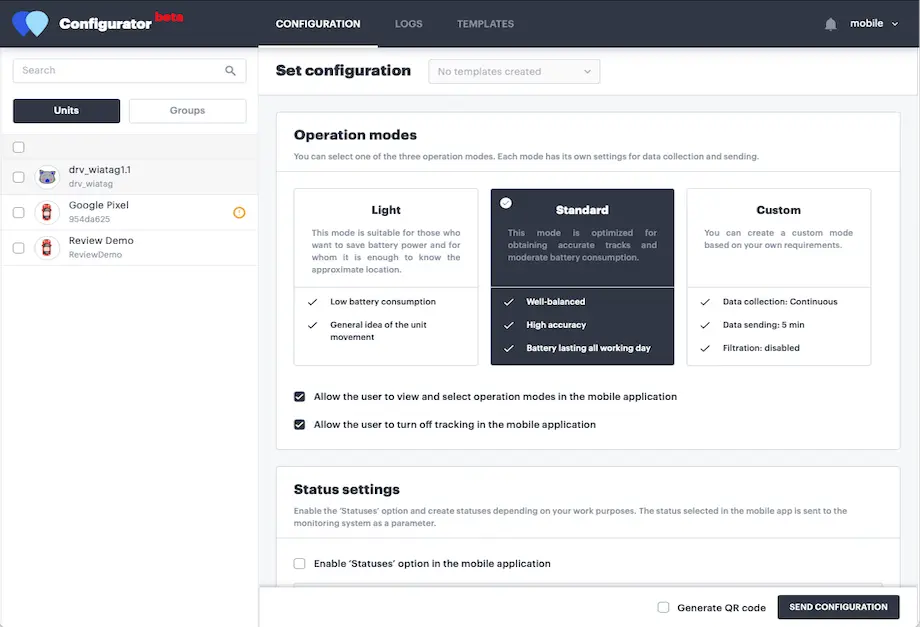
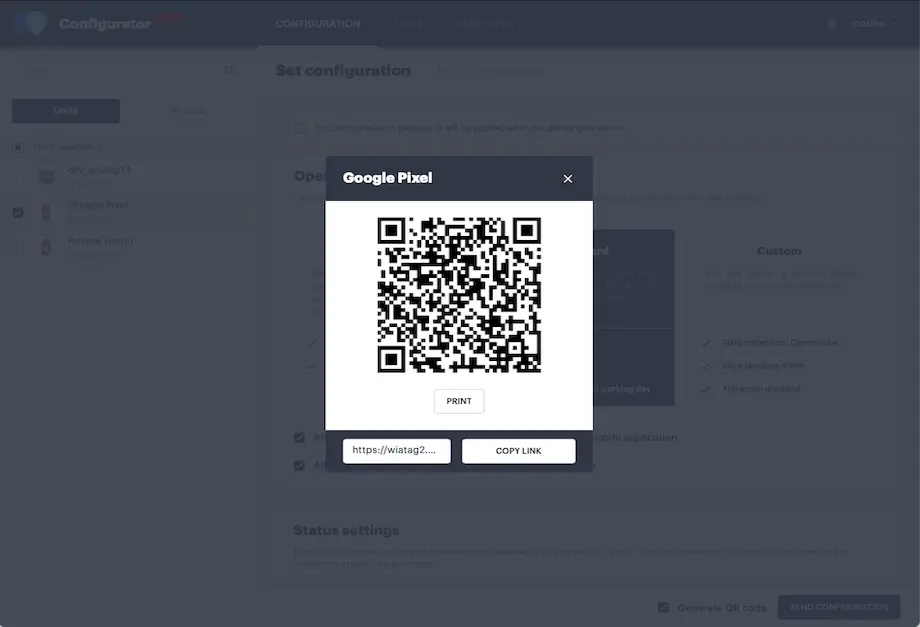
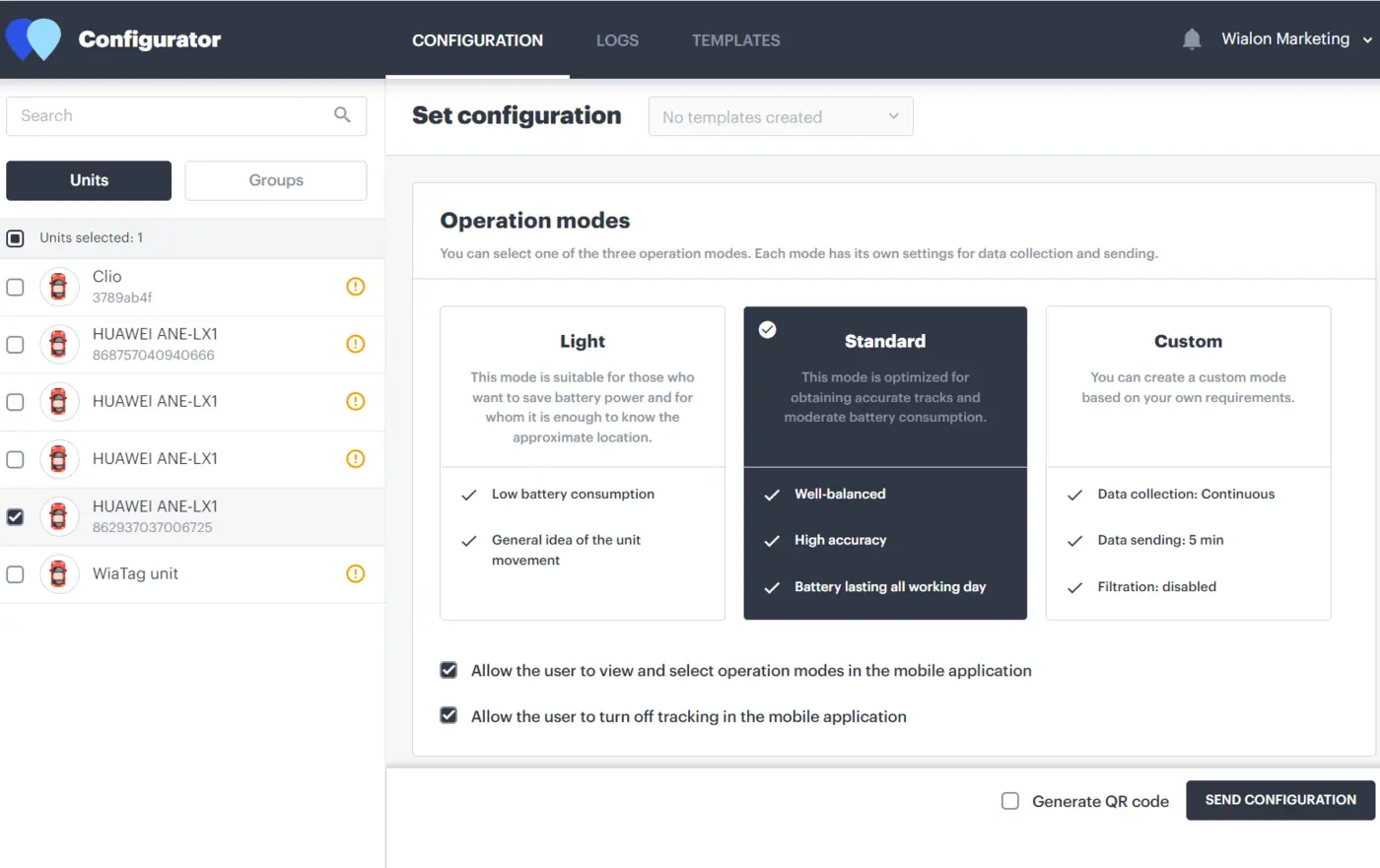
Explore real app views and follow the functions step by step. The examples show an illustrative configuration; your account may look different.
JAXICLOUD FLEET MANAGEMENT
GUIDED IMAGE WALKTHROUGH
App views explained
- Log files for troubleshooting
JAXICLOUD FLEET MANAGEMENT
JAXICLOUD FLEET MANAGEMENT
JAXICLOUD FLEET MANAGEMENT
Detailed functions
Get more from the app
Remote configuration of the employee app
Settings for one or multiple units
Configure data collection and transmission
Log files for troubleshooting
Access requires a compatible app, account permissions and configuration.
IN PRACTICE
From data to action
A new employee needs connecting. The office selects data settings and sends the agreed configuration to the phone; logs help investigate faults.
Functions depend on your agreement, compatible equipment, data access and configuration. JAXICLOUD FLEET MANAGEMENT helps select and configure the solution.
01Choose the data
02Review the workflow
03Follow up