Tag on the equipment
An active tag is attached to each item. Its ID is linked to the equipment name and category.
JAXICLOUD FLEET MANAGEMENT
From equipment to a recognizable building, floor and zone
When equipment is not where the next employee expects it, the search begins. The solution provides a starting point: the area where the item was last detected. See what a complete installation includes and how it is used.

An active tag is attached to each item. Its ID is linked to the equipment name and category.
Fixed anchors detect tags and pass data through a Wirepas Mesh network. Their placement provides known reference points.
A compatible gateway collects network data and sends it to the cloud platform through an internet connection.
Buildings, floors and zones are created on digital floor plans. Signals become an area that staff recognize.
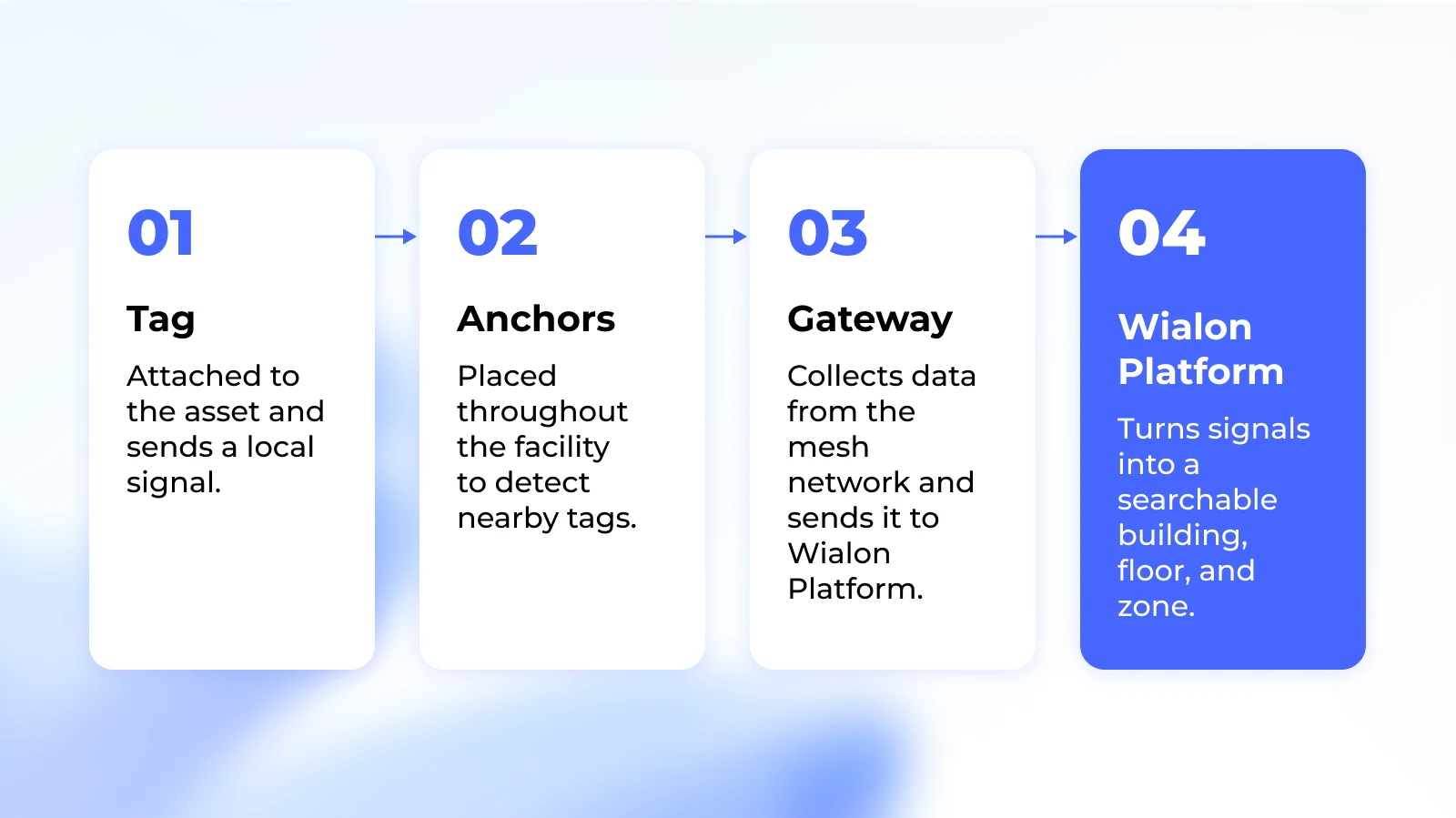
Create buildings and floors; upload floor plans; mark rooms and zones; install and test the network; register equipment and tags; assign user access.
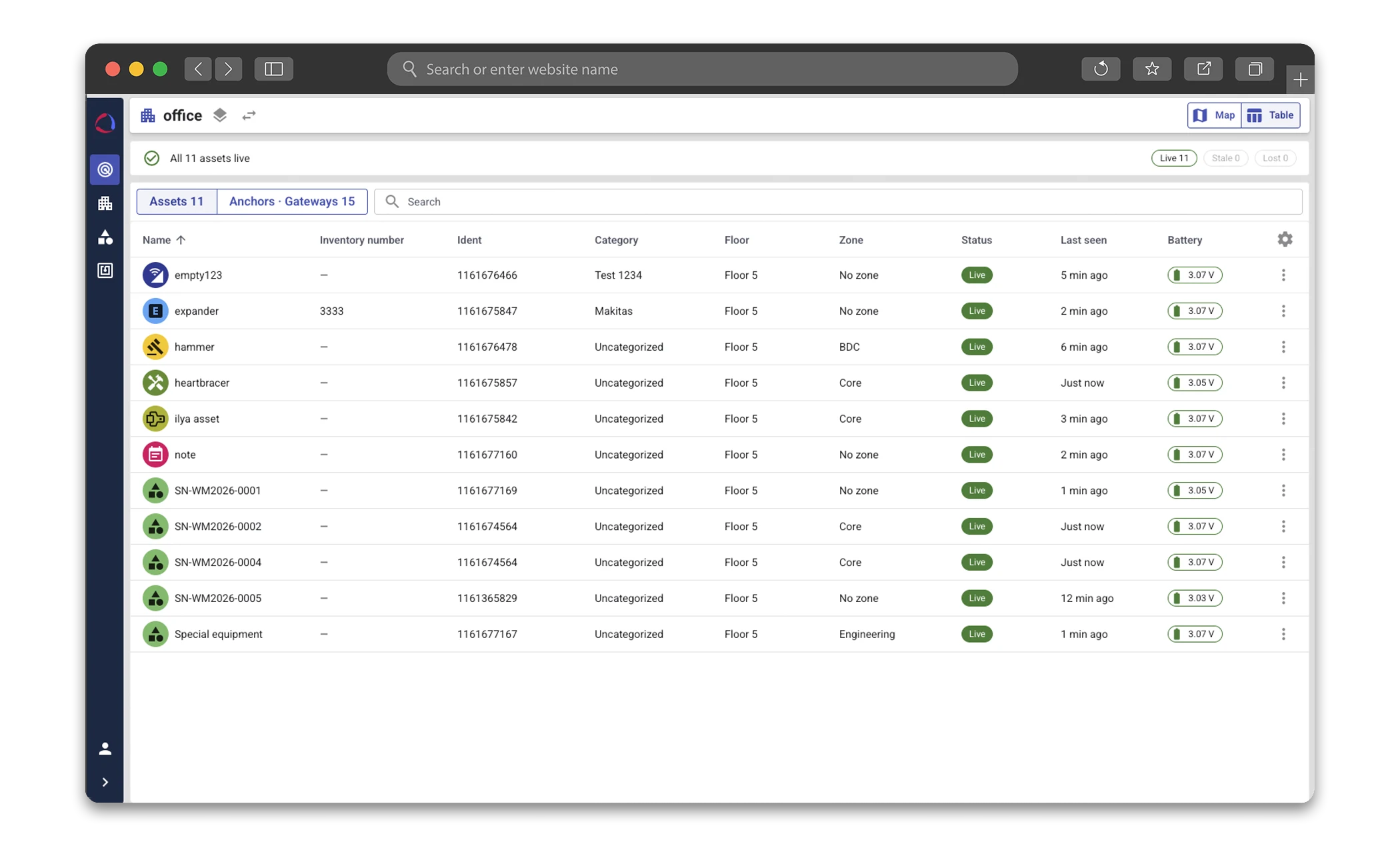
Search by equipment, tag, category, floor, zone or status. Open the latest detection on the floor plan, check connection and battery, and continue searching in the mobile app. A replacement tag can use the existing asset record.
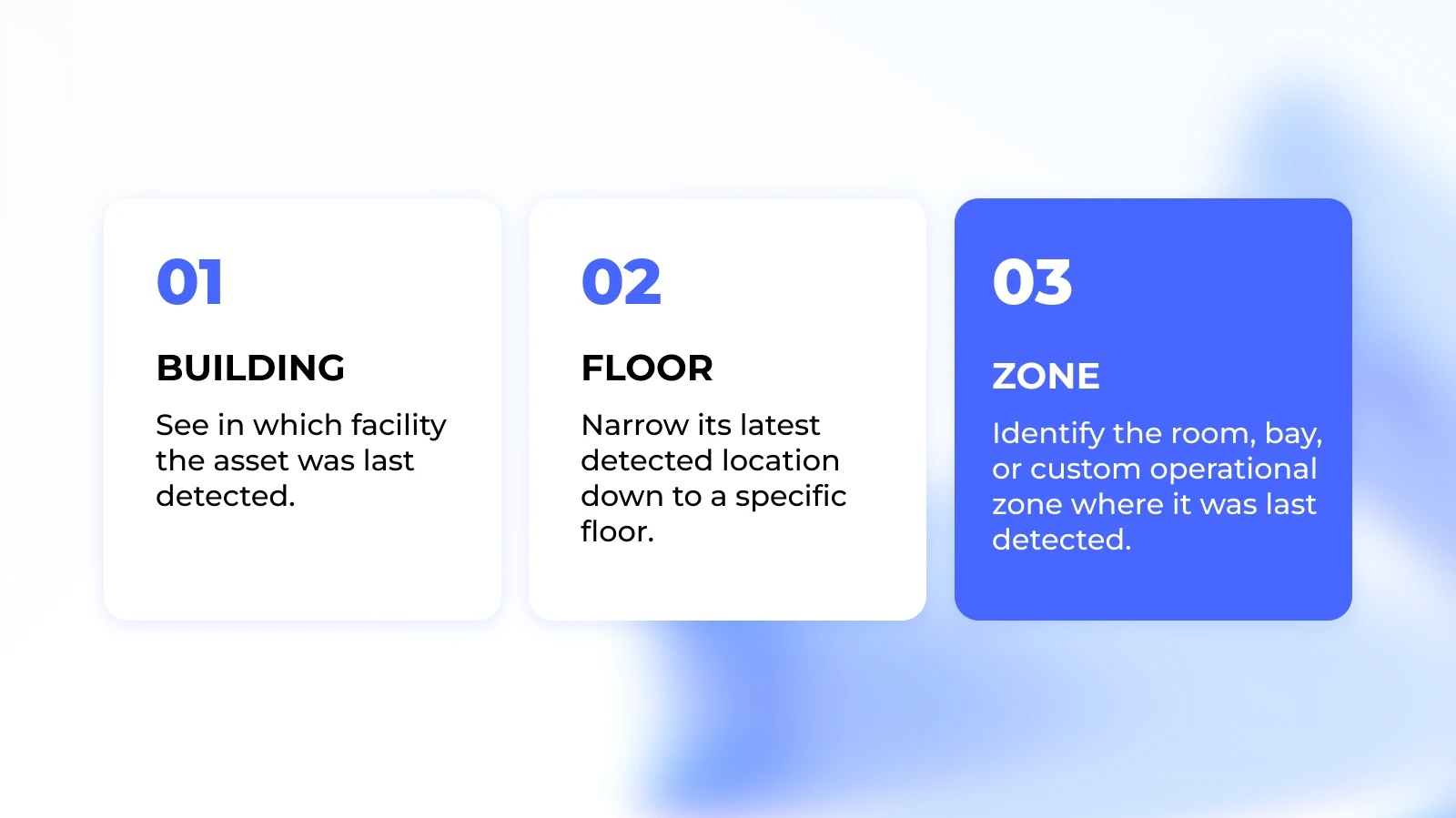
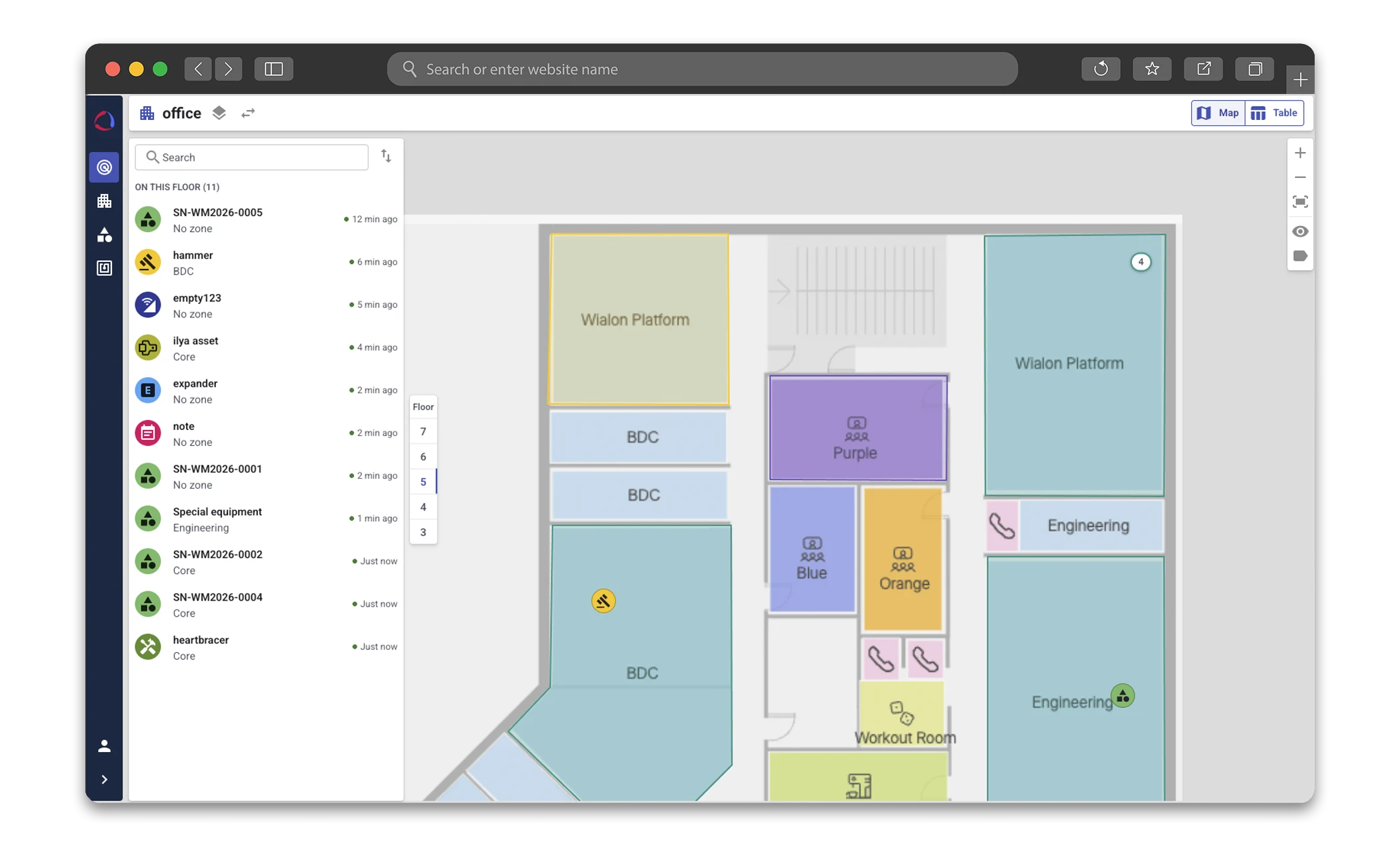
Illustrated example – not live data. Select equipment to see where you would start looking. The example shows zones, not a precise position within a room.
Equipment: Tool T-014 · Last detected area: Workshop · ground floor · zone A
Hospitals: wheelchairs, beds and pumps. Manufacturing: tools, forklifts and containers. Airports: baggage carts and equipment in halls. Rental and depots: generators, attachments and returnable equipment.
| Component | Purpose |
|---|---|
| EYE Beacon Mesh / MTSID1 | Tag on the equipment |
| EYE Sensor Mesh / MTSMP1 | Tag on the equipment |
| Wirepas Mesh | Anchors in the building |
| Gateway · MQTT | Internet gateway |
| JAXICLOUD Platform | Platform and floor plans |
EYE Beacon Mesh identifies equipment and detects magnetic status. EYE Sensor Mesh also measures temperature, humidity and movement. Both use Wirepas Mesh and have IP67 housings and mounting points. Hardware sensor capabilities are distinct from features displayed in the tracking platform.
Network sizing depends on area, floors, tag count and update interval. Concrete, metal and radio interference affect coverage. More anchors can improve localization; the required room or zone visibility must be tested in the building.
The solution is intended for rooms and zones. Accuracy depends on installation; a specific distance cannot be guaranteed without testing.
Typically every 5–15 minutes during movement. It shows the last detection, not continuous second-by-second tracking.
EYE Beacon Mesh: approximately 2 years at 5 minutes, 3.5 years at 10, 8 years at 30 and 10 years at 60 minutes at room temperature. Settings and environment affect life; the battery is not user-replaceable.
Capacity depends on interval and design. The platform article gives approximately 840 tags per anchor with one update per hour as an example, not a universal limit.
Wirepas Mesh at 2.4 GHz; gateway transfer through MQTT and AES-128 support for Wirepas communication.
Wi-Fi can give the gateway internet access but does not replace anchors. Existing conventional BLE beacons cannot be added directly to the mesh solution.
This solution currently has no movement history, reports or entry, exit and dwell-time alerts.
Localization, connection and battery are currently displayed; sensor readings and device commands are not. Temperature documentation is offered separately through BlueCold.
Yes: web, mobile app and API. Integration data and access are agreed for your workflow.
Yes, in buildings with compatible configured networks. There is no combined continuous indoor/outdoor history.
The solution is for equipment, not people, turn-by-turn navigation or precise shelf positioning. Passive tags and an audible ping function are not supported.
Indoor tracking on Wialon Platform is cloud-based. Outdoor, underground and special industrial environments require individual assessment.
ELA BlueCold provides temperature recording and history. Indoor localization here requires compatible Wirepas Mesh hardware and separate platform setup. ELA temperature sensors alone do not provide floor-plan localization.
ELA BlueCold →JAXICLOUD starts with an equipment list and floor plans. We agree which areas need coverage and what staff need to find. A limited pilot tests installation, access and search tasks before rollout.
Measure search time for selected tasks before and after. Example: 10 staff × 5 minutes saved × 20 working days = 16.7 hours per month. This is a calculation model, not a measured result or guarantee.
Mounting, battery checks, access and tag replacement form part of the operating plan. Hardware, installation, platform access, optional integration and support are priced according to the project scope.