JAXICLOUD FLEET MANAGEMENT
JAXICLOUD Hosting · Help and guides
Guides directly on JAXICLOUD Fleet Management
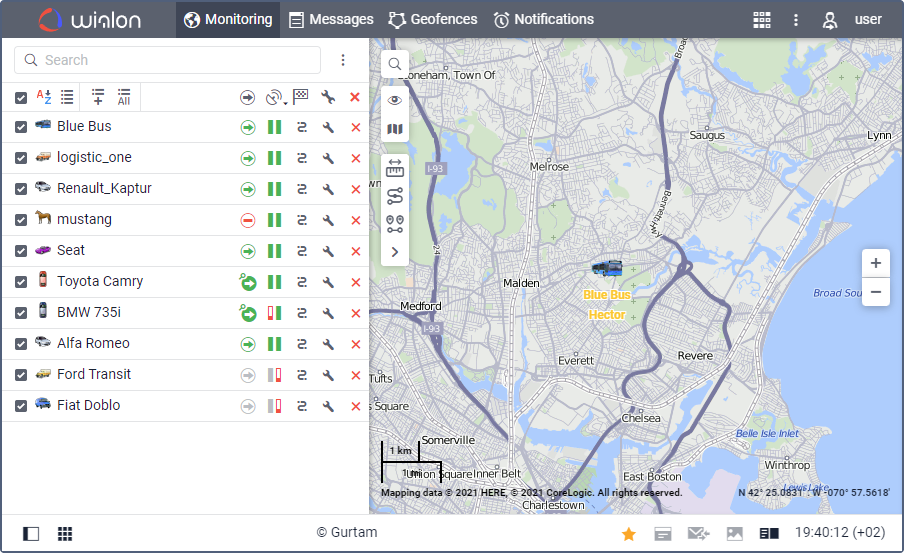
Features and menus depend on permissions, hardware and your agreement. Images are examples from the documented interface.
User guide
Daily use
Read the guide →Mobile app
Daily use
Read the guide →News and updates
Documentation reviewed on October 13, 2026. The updates below are a dated overview.
Read the guide →Login and initial setup
Use your Hosting address and personal account.
Read the guide →Monitoring and map
Open Monitoring, search by name, ID or registration number and add relevant units to the work list.
Read the guide →Tracks and trip history
Open Tracks, choose unit and period and retrieve the route.
Read the guide →Reports, tables and export
Select report template, unit or group and date range.
Read the guide →Geofences and areas
Create a circle, polygon or line and give it a clear name.
Read the guide →Notifications and alerts
Select units, conditions and the action to perform.
Read the guide →Sensors and readings
Open unit properties and Sensors.
Read the guide →Video and cameras
With compatible cameras and video access, view live streams, saved files and playback for a past period.
Read the guide →Drivers and assignments
Create a driver profile and optional group and assign the driver to the correct vehicle.
Read the guide →Trailers and attachments
The trailer feature can record equipment assigned to a vehicle without its own tracker.
Read the guide →Jobs and scheduled actions
Jobs perform recurring scheduled actions, such as report delivery or commands.
Read the guide →Map tools
Use distance, area, address, routing, nearest units, Track Player and track analysis for a specific task.
Read the guide →Administration and permissions
CMS Manager handles accounts, resources, users, units, groups and service access.
Read the guide →Contact JAXICLOUD Support
Include platform, vehicle or device, time and a description. Send a screenshot to support@jaxicloud.com if possible.
Contact JAXICLOUD Support →