JAXICLOUD FLEET MANAGEMENT
Tracks and trip history · JAXICLOUD Hosting
Guides directly on JAXICLOUD Fleet Management
Features and menus depend on permissions, hardware and your agreement. Images are examples from the documented interface.
Tracks and trip history
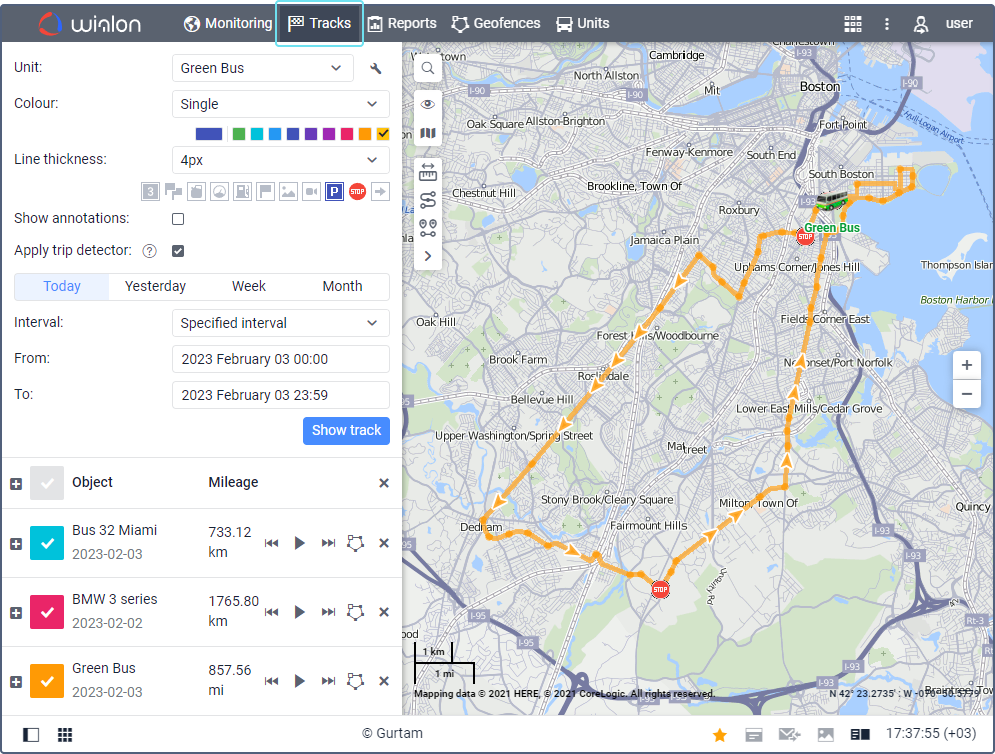
Open Tracks, choose unit and period and retrieve the route. Tracks consist of received data points. Markers can show stops, speeding and detected fillings. Compare gaps with messages and connection status.
Contact JAXICLOUD Support
Include platform, vehicle or device, time and a description. Send a screenshot to support@jaxicloud.com if possible.
Contact JAXICLOUD Support →