JAXICLOUD FLEET MANAGEMENT
JAXICLOUD Platform · Getting started
Guides directly on JAXICLOUD Fleet Management
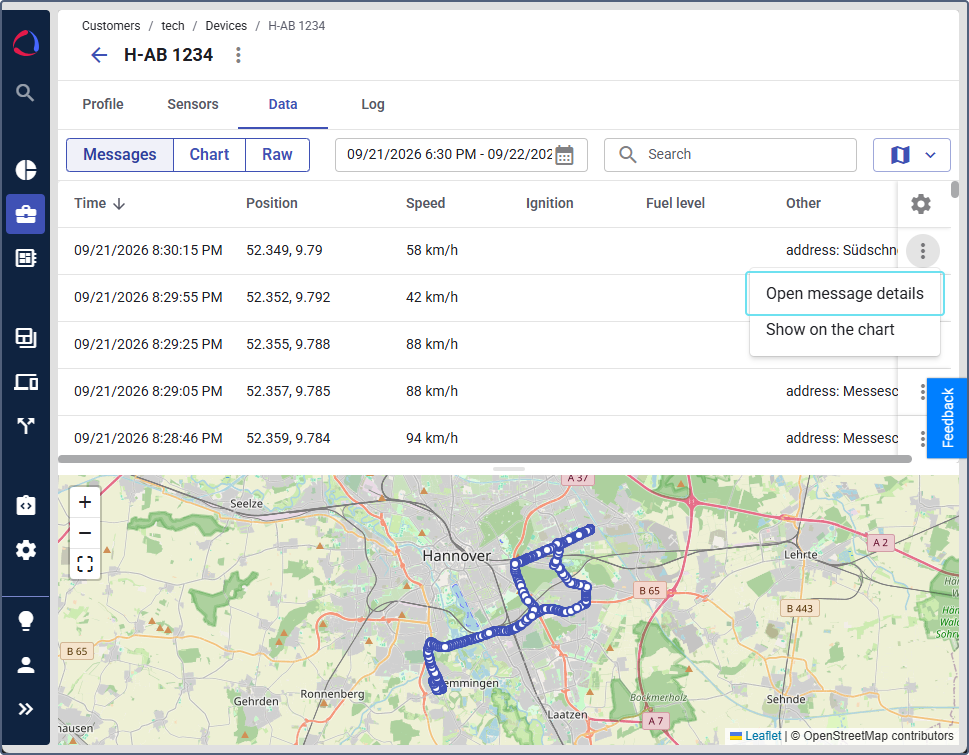
Features and menus depend on permissions, hardware and your agreement. Images are examples from the documented interface.
- Log in to your assigned interface.
- Confirm customer account, roles and access.
- Select language, time zone and appearance.
- Connect compatible hardware to the data channel.
- Check telemetry and sensors.
- Arrange menus, device list and widgets.
- Create geofences and relevant groups.
- Test automations and recipients.
- Register drivers and assignments.
- Run a report and check the result.
Studio and FleetSpace
Studio handles setup and administration.
Read the guide →Customers, users and roles
The customer account determines workspace and module access.
Read the guide →Devices and telemetry
Create a device, connect it to a data channel and verify its ID and recent data.
Read the guide →Workspace and widgets
JAXICLOUD can customize menus, device lists, details and dashboard.
Read the guide →Geofences and labels
Create customer sites and operating zones on the map and organize groups.
Read the guide →Automations
Enable the module, select conditions, create an action template and link them in a workflow.
Read the guide →Analytics and reports
JAXICLOUD can define datasets, metrics, reports and dashboard widgets.
Read the guide →Trips and Track Player
Enable Trips and verify detection settings.
Read the guide →Video and media
Enable Video for compatible hardware, configure channels and commands and add widgets.
Read the guide →Service and maintenance
Create service plans and individual services.
Read the guide →Drivers, behavior and tachograph
Driver profiles, assignments, behavior and tachograph are separate modules.
Read the guide →Forms, tasks and private use
Forms collect driver inspection data.
Read the guide →Indoor tracking and API
Indoor tracking uses floor plans, zones, tags, anchors and gateways on a dedicated Indoor account.
Read the guide →Contact JAXICLOUD Support
Include platform, vehicle or device, time and a description. Send a screenshot to support@jaxicloud.com if possible.
Contact JAXICLOUD Support →