Create and find tasks
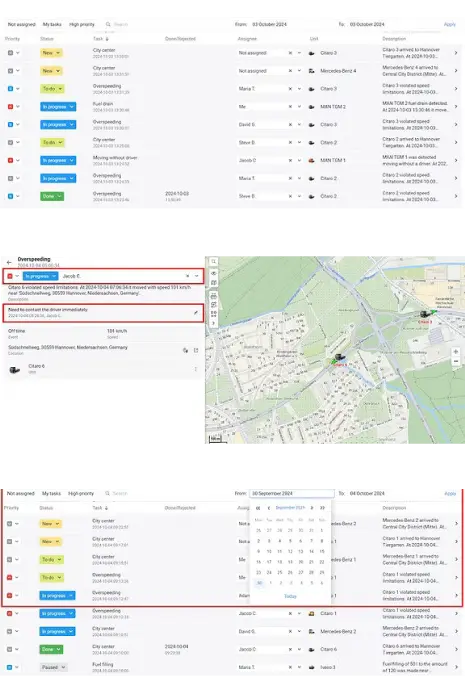
Create tasks manually or automatically from a notification configured for this action. Find tasks by period, status and other filters.
Bring incidents, priority, assignee and resolution together in JAXICLOUD FLEET MANAGEMENT. Tasks gives dispatchers a shared workflow from the first alert to completion.
Discuss your needsUnit: Refrigerated truck
Priority: High
Status: In progress
Assigned to: Dispatcher
Action: Contact driver and inspect refrigeration
Create tasks manually or automatically from a notification configured for this action. Find tasks by period, status and other filters.
View the unit, time, description, location, geofences and driver details. Priority, status and assignee show what needs to happen next.
Assign a colleague, change priority and status, add comments and contact the driver. Supported commands can be sent from the task card.
Manage status and assignments for multiple tasks together. Follow new, resolved and rejected tasks with actions, comments and outcomes.
Tasks access and the relevant permissions must be enabled. Automatic creation requires a notification with the correct action; a recorded event does not always create a task.
A cold-chain sensor reports a reading outside its agreed threshold. The configured notification creates a task. The dispatcher checks the location and sensor, assigns a colleague, contacts the driver and records the resolution.
Explore your control centreExplore real app views and follow the functions step by step. The examples show an illustrative configuration; your account may look different.
GUIDED IMAGE WALKTHROUGH