All apps and solutions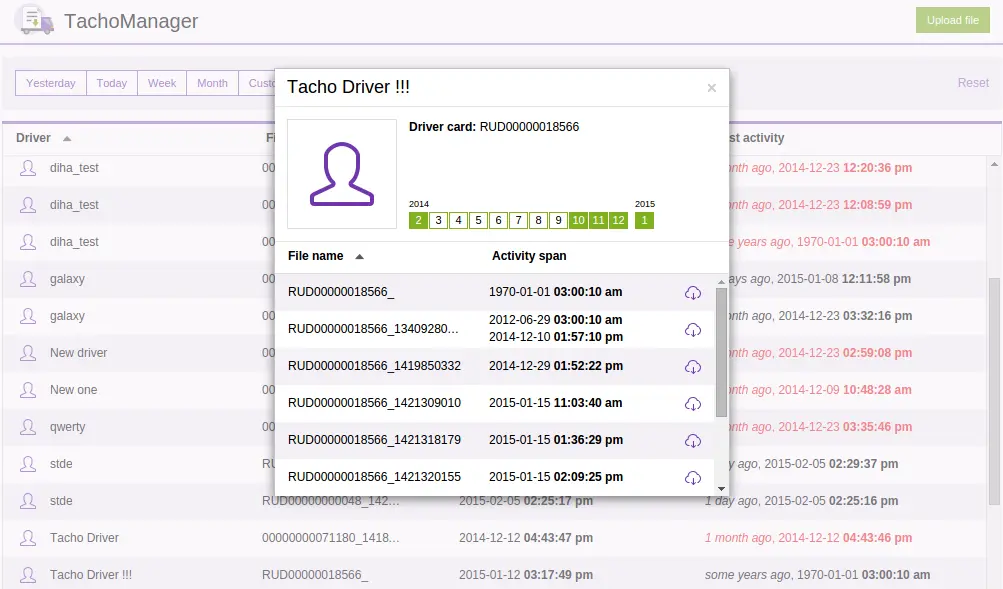 See the demonstration
JAXICLOUD FLEET MANAGEMENT
Tacho Manager
Organise tachograph data and follow up on download deadlines.
Discuss your needsJAXICLOUD FLEET MANAGEMENT
FUNCTIONS
What you can use it for
Collect available files
Plan deadline checks
Keep driver data in context
Review recorded driving, rest and other activities. Follow download status, investigate deviations and use the information in daily planning. Data availability depends on the tachograph, connection and configuration; records must be checked by the responsible person.
JAXICLOUD FLEET MANAGEMENT
See how the app works
Explore real app views and follow the functions step by step. The examples show an illustrative configuration; your account may look different.
JAXICLOUD FLEET MANAGEMENT
GUIDED IMAGE WALKTHROUGH
App views explained
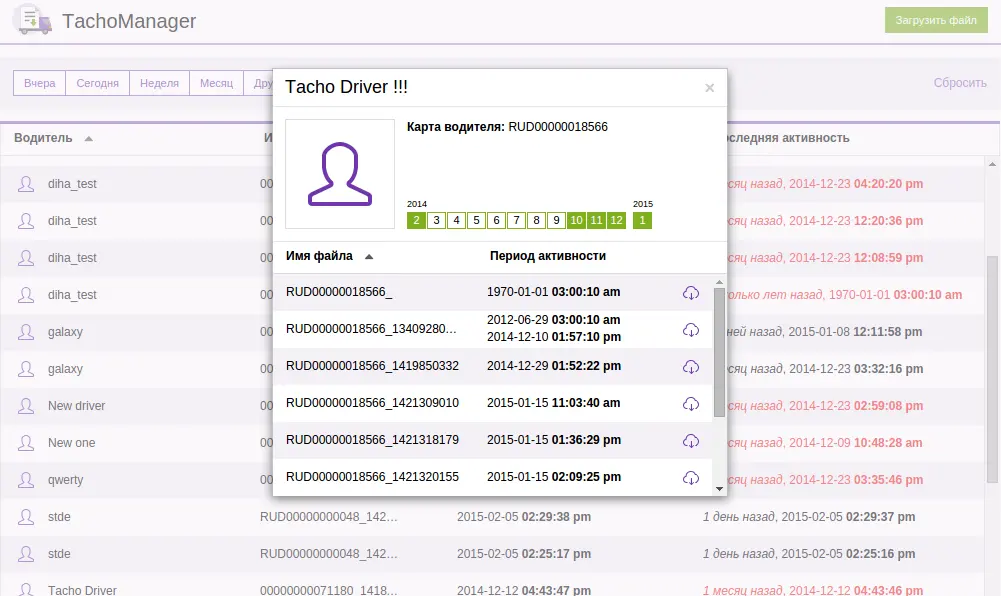
- File storage and download
- Driver card and activity overview
JAXICLOUD FLEET MANAGEMENT
JAXICLOUD FLEET MANAGEMENT
Detailed functions
Get more from the app
Manual upload of driver DDD files
Automatic retrieval when configured
File storage and download
Driver card and activity overview
This is an existing app that is no longer developed or maintained by its platform supplier. We check availability and suitability before configuring it for your fleet.
IN PRACTICE
From data to action
The office collects the driver’s available DDD files and checks that they can be downloaded. The activity overview supports further review.
Functions depend on your agreement, compatible equipment, data access and configuration. JAXICLOUD FLEET MANAGEMENT helps select and configure the solution.
01Choose the data
02Review the workflow
03Follow up